
 Plugin
PluginUpdated
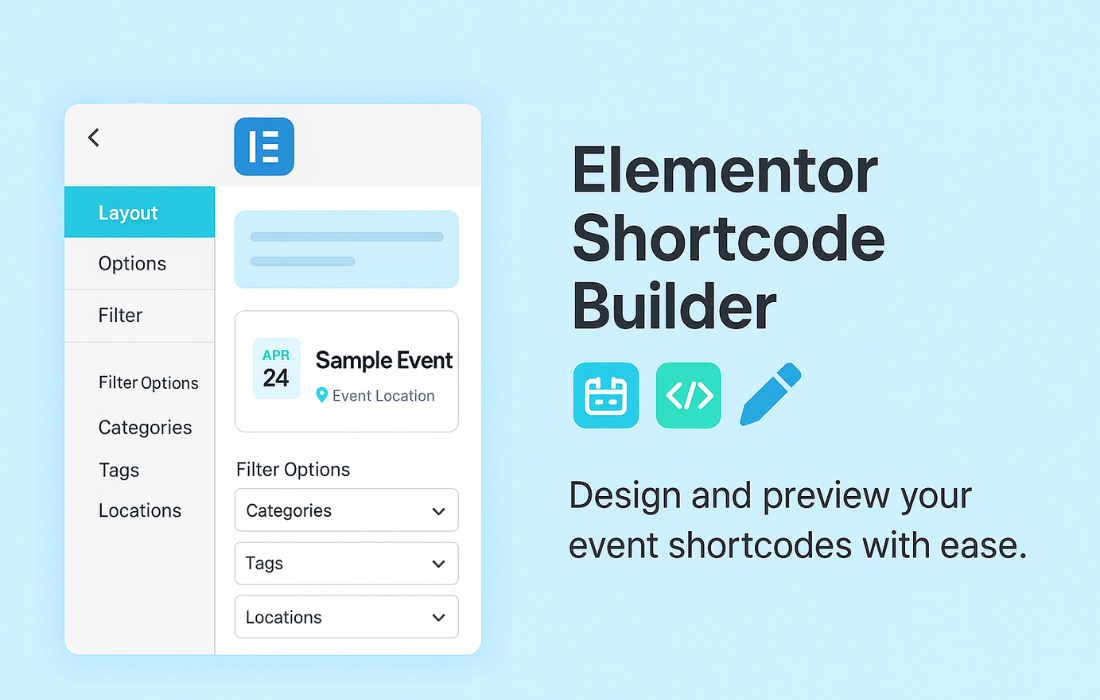
Elementor Shortcode Builder for MEC
Elementor Shortcode Builder for MEC is a WordPress plugin by Webnus Team that works with the Modern Events Calendar plugin.
Product facts
- Version
- 2.1.0
- Released
- 4 August 2026
- Type
- Plugin
- Licence
- GPL
- Included in
- Every plan, or $4.19 on its own
Overview
Event shortcodes can be fiddly to set up by hand. You pick a skin, adjust options, paste the result into a page and hope it looks right. This plugin moves that work into Elementor, where you build the shortcode visually and see the changes as you make them. You can try different shortcode styles and filters before anything goes live.
Once the shortcode is in place, you can adjust how it looks and what it shows. Typography, element visibility and custom CSS are all in your hands, and you can add a search bar with its own fields to an event display. It suits event managers, marketers and web developers who already use Modern Events Calendar and want more control over how events appear. Paired with Modern Events Calendar Pro, shortcode usage has no limit.
Features
- Real-time visual builder: Build and modify shortcodes inside Elementor and see changes as you go, so you can check how an event display looks before you publish it.
- Use shortcodes anywhere: Add and configure shortcodes on any part of your website, with multiple skins and types available to match the design of your site.
- Search bar integration: Place a search bar with customizable search fields directly inside a shortcode, so visitors can find events from the display itself.
- Show or hide elements: Toggle the visibility of individual shortcode components to keep the event presentation clean and relevant to what your visitors need.
- Typography controls: Set fonts, sizes, colors and spacing across all shortcode elements to keep event displays consistent with the rest of your branding.
- Custom CSS styles: Add your own CSS to fine-tune details of your event shortcodes, from the distance between elements to hover effects.
- Featured image resolution option: Control the resolution of the featured image shown in your event displays, so images fit the layout you have designed.
- Unlimited use with MEC Pro: When paired with Modern Events Calendar Pro, you can use shortcodes without limits across your site.
Best for
- Event sites built with Modern Events Calendar
- Web developers building event pages in Elementor
- Event managers who want code-free layout control
Changelog
Version 2.1.0 — 3 August 2026
- New Entity Type option to Elementor Shortcode Builder enviroment.
- New An option to control the featured image resolution.
- New Missing Liquid Carousel options to match the default shortcode settings.
- Fixed Translation loading triggered too early (load_textdomain_just_in_time) notice.
- Fixed Security issues reported in the security audit.
- Fixed Various minor issues and improvements.
Earlier versions
- 2.0.0 (21 December 2025): 5 fixed
- 1.9.5 (28 September 2025): 1 new, 1 improved
- 1.9.0 (19 May 2025): 1 new, 2 improved, 7 fixed
FAQ
Is Elementor Shortcode Builder for MEC free?
The code of Elementor Shortcode Builder for MEC is licensed under the GPL, so anyone may use, change and share it. Buy GPL is a paid service: a plan or a purchase of Elementor Shortcode Builder for MEC gives you the download and its updates. The developer's own support, licence key and online services are not included.
Which version of Elementor Shortcode Builder for MEC is this?
Version 2.1.0, released 4 August 2026. New versions appear here when the developer publishes them.
How do I update Elementor Shortcode Builder for MEC?
Install Buy GPL Updater on your site and paste your key from My Account. It installs new versions of Elementor Shortcode Builder for MEC for you.
More from Webnus Team
Plugin Plugin
 Plugin
 Plugin
 Plugin
 Plugin
 Plugin
 Plugin