
 Plugin
PluginUpdated
Gravity Perks Limit Dates
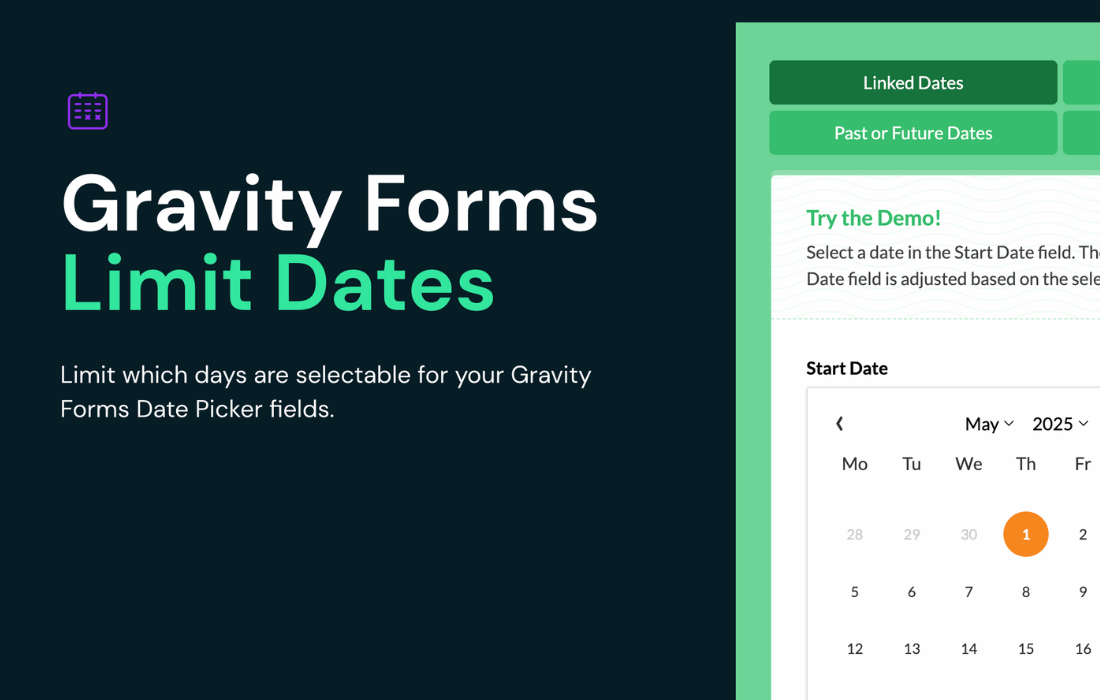
Gravity Perks Limit Dates is a WordPress plugin from Gravity Wiz that adds selectable-date rules to Gravity Forms date fields.
Product facts
- Version
- 1.1.43
- Released
- 15 October 2026
- Type
- Plugin
- Licence
- GPL
- Included in
- Every plan, or $4.89 / year on its own
Overview
A standard date field lets visitors choose almost any day, which causes trouble for reservations, appointment schedulers and event registrations. Gravity Perks Limit Dates gives you rules to fix that. You can set a minimum and maximum date, allow only future or past dates, or restrict choices by day of the week. Exceptions let you allow or block specific dates, such as holidays or special availability days, regardless of the general rules.
The plugin works inside the Gravity Forms date field, and you manage the limits through a simple settings interface that needs no coding. Limits can be fixed, relative to the current date, or based on another field in the form. Linked date fields suit check-in and check-out or start and end periods. Dates are validated on both the client and the server, and the plugin works with other Gravity Perks.
Features
- Minimum and maximum date range: Set start and end limits manually, relative to the current date, or based on what the visitor chose in another form field.
- Future or past dates only: Limit a date field to future dates or past dates, which fits appointment bookings on one side and historical data entry on the other.
- Day of the week limits: Choose which weekdays or weekend days can be selected, so the calendar matches your business hours or event schedule.
- Date exceptions: Allow or block specific dates regardless of the general rules, which is useful for holidays, blackout dates or special availability days.
- Linked date fields: Set the minimum or maximum date in one field from the date picked in another, handy for check-in and check-out or start and end dates.
- Date modifiers: Adjust a minimum or maximum limit by adding or subtracting days, weeks, months or years to build date ranges that adapt to your rules.
- Timezone support: Dates are displayed based on the timezone configured in WordPress, which keeps them consistent for visitors in different locations.
- Inline datepicker and validation: Show the calendar inline instead of in a popup, and rely on client-side and server-side validation to reject invalid or out-of-range dates.
Best for
- Booking and reservation forms built with Gravity Forms
- Appointment schedulers that need blocked days and holidays
- Event registration forms with fixed date windows
Changelog
Version 1.1.43 — 15 October 2026
- New Added a setting to open the date picker on focus; providing an opt-in way to open the Gravity Forms 3.0 datepicker automatically when a Date field receives focus.
Earlier versions
- 1.1.42 (30 September 2026): 3 fixed
- 1.1.41 (17 September 2026): 1 improved
- 1.1.40 (9 September 2026): 2 fixed
FAQ
Is Gravity Perks Limit Dates free?
The code of Gravity Perks Limit Dates is licensed under the GPL, so anyone may use, change and share it. Buy GPL is a paid service: a plan or a purchase of Gravity Perks Limit Dates gives you the download and its updates. The developer's own support, licence key and online services are not included.
Which version of Gravity Perks Limit Dates is this?
Version 1.1.43, released 15 October 2026. New versions appear here when the developer publishes them.
How do I update Gravity Perks Limit Dates?
Install Buy GPL Updater on your site and paste your key from My Account. It installs new versions of Gravity Perks Limit Dates for you.
More from Gravity Wiz
Plugin Plugin
 Plugin
 Plugin
 Plugin
 Plugin
 Plugin
 Plugin