
 Plugin
PluginUpdated
Ninja Tables Pro
Ninja Tables Pro is a WordPress plugin from WPManageNinja for building, styling and managing responsive tables.
Product facts
- Version
- 5.5.0
- Released
- 5 November 2026
- Type
- Plugin
- Licence
- GPL
- Included in
- Every plan, or $3.49 on its own
Overview
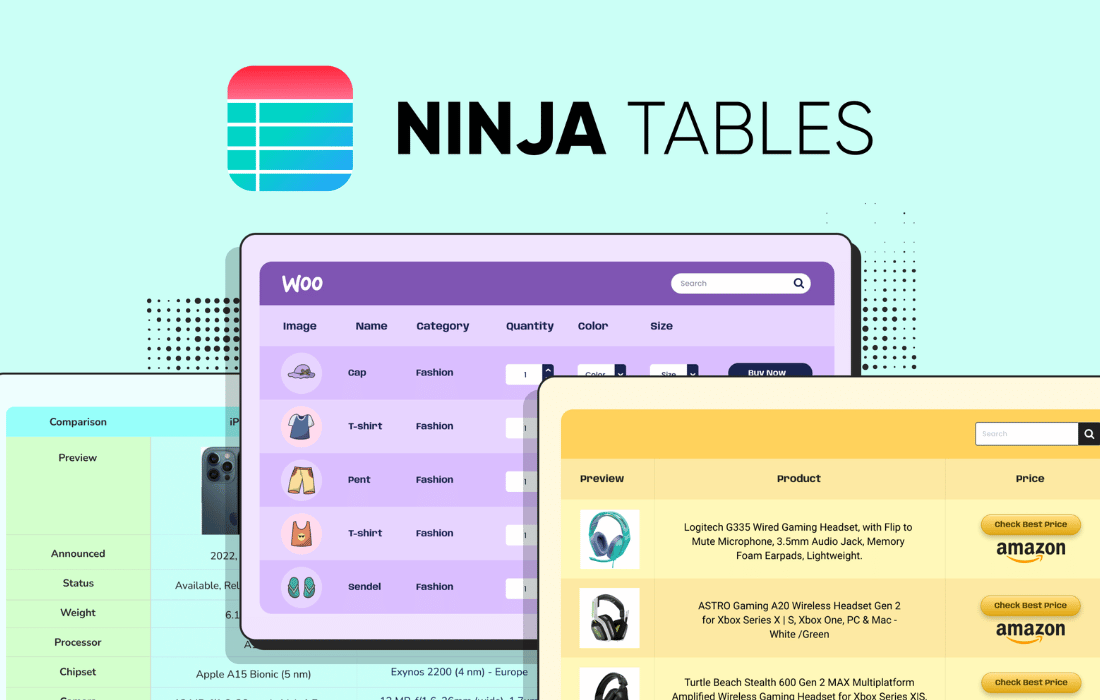
Tables are a common way to present pricing comparisons, product catalogs and data reports, but building them by hand in WordPress can be slow. Ninja Tables Pro gives you a drag-and-drop builder, so you can lay out rows and columns, merge or split cells and adjust colors, fonts and backgrounds without writing code. Pre-made templates give you a starting point for pricing tables and comparisons.
The plugin also works with the data you already have. You can sync live data from Google Sheets, list WooCommerce products in detailed tables, or import and export tables, including Excel files. Conditional formatting, filters, media support and custom CSS or JavaScript give you room to fit each table to your site. It suits small businesses, online stores, agencies and developers.
Features
- Drag-and-drop table builder: Build and customize tables in a visual interface, so you can arrange your content without coding.
- Google Sheets sync: Pull live data from Google Sheets into your tables so they stay current without you logging into WordPress to edit them.
- WooCommerce product tables: List WooCommerce products in organized, customizable tables that show the product details you choose.
- Detailed design controls: Change colors, backgrounds, fonts, rows, columns and individual cells to match the look of your website.
- Import and export options: Move tables in and out of WordPress in several formats, including Excel import and export, plus frontend Excel export.
- Ready-made table templates: Start from templates made for pricing tables, comparisons and similar layouts, then adjust them to suit your content.
- Conditional formatting and filters: Highlight important values automatically and let visitors filter table content to find the rows they want.
- Merge and split cells: Combine or divide cells to build structured tables with complex layouts that fit your data.
Best for
- Online stores listing WooCommerce products in tables
- Agencies and developers building data-heavy client sites
- Site owners who keep table data in Google Sheets
Changelog
Version 5.5.0 — 4 November 2026
- New Fully redesigned admin screens, including the Drag & Drop table builder.
- New Dark mode for the admin.
- New 5 more template added in drag & drop.
- New DataTables engine for Fluent Forms, WP Posts, FluentCart and Custom SQL Query tables.
- New Colour picker with opacity and presets.
- Improved Documentation links now point to docs.ninjatables.com.
- Improved Accessibility across the admin.
- Fixed Row hover colour staying on striped rows in coloured FooTable tables.
- Fixed Search button invisible on custom-colour tables with no search colour set.
- Fixed Manual-sort search on DataTables tables finding nothing for terms with an apostrophe or quote.
- Fixed CSV and Google Sheet re-sync resetting customised columns with an apostrophe in the name.
- Fixed Google Sheet HTML columns showing HTML typed into a cell as literal tags.
- Security WP Posts tables only list published posts by default.
Earlier versions
- 5.2.18 (9 October 2026): 4 new, 3 improved, 4 fixed, 1 security
- 5.2.17 (15 September 2026): 1 new, 2 improved, 1 fixed
- 5.2.16 (21 August 2026): 2 improved, 3 fixed
FAQ
Is Ninja Tables Pro free?
The code of Ninja Tables Pro is licensed under the GPL, so anyone may use, change and share it. Buy GPL is a paid service: a plan or a purchase of Ninja Tables Pro gives you the download and its updates. The developer's own support, licence key and online services are not included.
Which version of Ninja Tables Pro is this?
Version 5.5.0, released 5 November 2026. New versions appear here when the developer publishes them.
How do I update Ninja Tables Pro?
Install Buy GPL Updater on your site and paste your key from My Account. It installs new versions of Ninja Tables Pro for you.
More from WPManageNinja
Plugin Plugin
 Plugin
 Plugin
 Plugin
 Plugin