
 Plugin
PluginUpdated
Thrive Architect
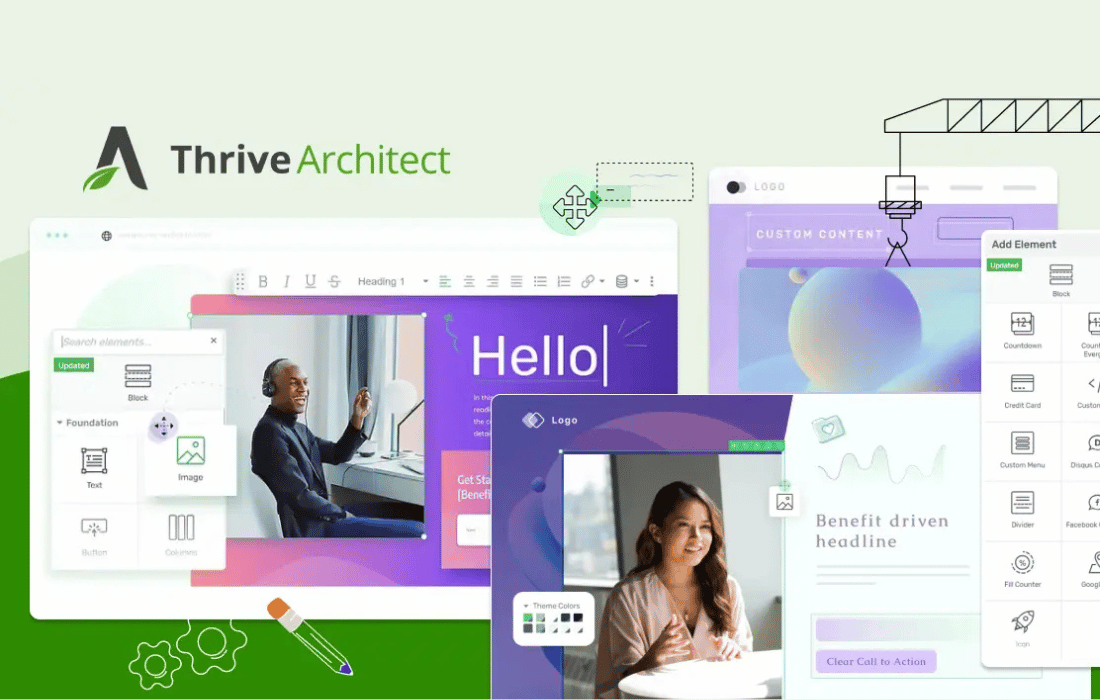
Thrive Architect is a WordPress plugin from Thrive Themes that works as a visual page builder.
Product facts
- Version
- 11.3
- Released
- 5 November 2026
- Type
- Plugin
- Licence
- GPL
- Included in
- Every plan, or $6.29 / year on its own
Overview
Many small business owners and marketers want landing pages that match their goals but do not want to hire a developer. Thrive Architect addresses this with a visual editor where you place elements on the page and adjust them directly. It comes with more than 300 templates, so you can begin with a finished layout suited to your niche and then change it to fit your brand and offer.
The plugin is built around lead capture and guiding visitors toward an action. You can add buttons, countdown timers, opt-in forms and testimonials, set up sales funnels from lead capture to checkout, and personalize content for different visitors. It runs inside your existing WordPress site and was built with GDPR and other privacy laws in mind.
Features
- 300+ page templates: Start from more than 300 designed landing page templates that you can customize to fit your niche and goals, instead of building each layout from a blank page.
- Drag-and-drop visual editor: Build and edit pages with a code-free interface. Place elements where you want them and adjust the design directly on the page.
- Conversion-focused elements: Add buttons, countdown timers, opt-in forms, testimonials and similar elements that help guide visitors toward taking a specific action on your page.
- Dynamic content personalization: Change what your site displays so content fits the needs of individual visitors, which helps keep the message relevant to the person reading it.
- Sales funnel builder: Create funnels inside WordPress that cover the customer journey, from capturing a lead through to checkout, without moving between separate tools.
- Analytics and insights: Track how visitors interact with your pages and see which elements lead to conversions, so you can make changes based on real behavior.
- Quiz builder integration: Add interactive quizzes to your landing pages to engage visitors, capture leads and qualify prospects while they answer the questions.
- Privacy-minded design: Built with GDPR and other privacy laws in mind, so your pages can respect visitor data and fit the compliance needs of your site.
Best for
- Marketers building landing pages and sales funnels in WordPress
- Small business owners who want to design without coding
- Bloggers who need ready-made page templates
Changelog
Version 11.3 — 3 November 2026
- Security Security Improvements: This release includes security and stability improvements to keep your site protected. We recommend updating as soon as possible.
- New Bunny.net New Player: Videos from Bunny.net’s new player now work in Architect, Apprentice, Theme Builder and Quiz Builder video elements. Existing videos keep working.
- Improved Links Match Their Text: Inline links in text elements now take the size and line height of the text around them, so you no longer adjust every link by hand.
- Improved Header Appear on Scroll Up on Mobile: Headers set to “Appear on Scroll Up” now come back as soon as you scroll up on iPhone and Android browsers.
- Improved Faster Page Loads: Pages with full-width sections or sticky elements load with less blocking time, because the browser now measures the layout once instead of once per element.
- Improved Smaller Database: Architect no longer stores a second copy of the page HTML on posts without a “more” tag, which cuts post meta size on most sites.
- Improved Landing Pages Stay on Their Own Page: A landing page no longer takes over a Theme Builder archive template, such as your Shop or Blog page, when it is the first post in that archive.
- Improved WooCommerce Add to Cart Tracking: “Add to cart product” dynamic links now add the product through WooCommerce’s own add-to-cart, so PixelYourSite, Meta Pixel and GA4 tracking record the AddToCart event.
- Improved Custom Field Links and Buttons: Links, buttons and formatting in custom fields shown through Dynamic Text or Post List custom fields display again, instead of plain text.
- Improved Save Element as Template: Saving an element as a Content Template works again.
- Improved Post List Featured Image Backgrounds: Post List sections that use each post’s featured image as a background show the right image per post on the live page again.
Earlier versions
- 11.2.0.1 (22 October 2026): 1 security
- 11.2 (21 October 2026): 5 new, 4 improved, 1 security
- 11.1 (7 October 2026): 1 new
FAQ
Is Thrive Architect free?
The code of Thrive Architect is licensed under the GPL, so anyone may use, change and share it. Buy GPL is a paid service: a plan or a purchase of Thrive Architect gives you the download and its updates. The developer's own support, licence key and online services are not included.
Which version of Thrive Architect is this?
Version 11.3, released 5 November 2026. New versions appear here when the developer publishes them.
How do I update Thrive Architect?
Install Buy GPL Updater on your site and paste your key from My Account. It installs new versions of Thrive Architect for you.
More from Thrive Themes
Plugin Plugin
 Plugin
 Plugin
 Plugin
 Plugin
 Plugin
 Plugin