
 Plugin
PluginUpdated
Document Library Pro
Document Library Pro is a WordPress plugin from Barn2 Media Ltd.
Product facts
- Version
- 4.2.1
- Released
- 29 October 2026
- Type
- Plugin
- Licence
- GPL
- Included in
- Every plan, or $9.09 / year on its own
Overview
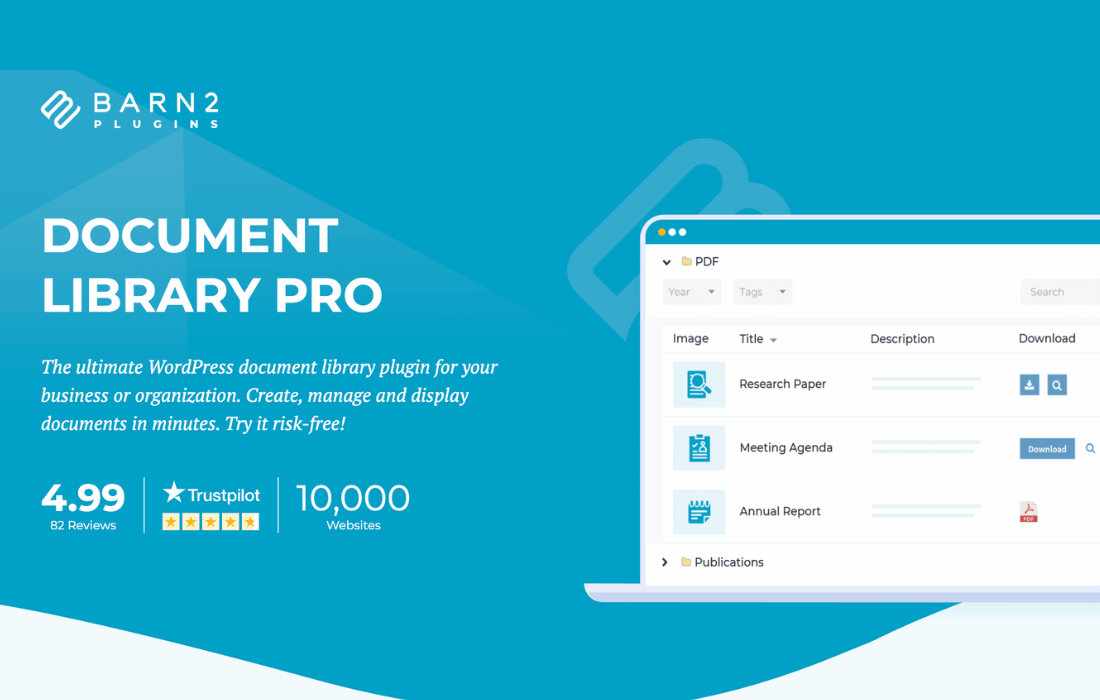
Many sites end up with files scattered across the Media Library, cloud folders and old pages. Document Library Pro gives them one home. A dedicated Documents post type keeps files apart from your regular content. You can add documents by hand, drag and drop several at once, or import them from a CSV file. Existing Media Library files can be converted into library documents, and tools like Zapier can connect storage platforms such as Google Drive and Dropbox.
Visitors find what they need through live search boxes and filter dropdowns, and you choose between a table or a grid layout. Documents can carry categories, tags, expiry dates and extra metadata, and can be sorted into nested folders. Access can be limited by user role or by password-protected categories. This suits corporate portals, educational sites and resource hubs that need an organized, shareable collection of files.
Features
- Dedicated Documents post type: Documents get their own section in the WordPress admin, so files stay organized and separate from your posts and pages.
- Several ways to add files: Add documents manually, drag and drop them in bulk, or use CSV import to bring in large batches of files and data.
- Media Library conversion: Turn files already sitting in your WordPress Media Library into library documents instead of uploading them again.
- Table and grid layouts: Show documents in a searchable table or a grid, depending on how you want visitors to browse the collection.
- Live search and filters: Visitors can type into a search box or use filter dropdowns to narrow a long list of documents quickly.
- Nested collapsible folders: Sort documents into folders and sub-folders with unlimited levels, giving the library a clear hierarchical structure.
- Custom document data: Attach categories, tags, expiry dates and extra metadata to each document to give visitors more context.
- Private libraries and submissions: Restrict access by user, role or password-protected category, and let users submit documents from the front end.
Best for
- Corporate portals sharing internal documents
- Schools and educational sites with course files
- Resource hubs managing many file types
Changelog
Version 4.2.1 — 27 October 2026
- New Choose a document category when uploading files with the drag-and-drop bulk uploader.
- Improved Check that the user is allowed to import documents before accepting a drag-and-drop upload.
- Fixed Fatal error when another active plugin, such as Forminator, MailPoet or Rank Math, uses Action Scheduler.
Earlier versions
- 4.2.0 (15 October 2026): 3 new, 2 improved, 10 fixed
- 4.1.1 (24 September 2026): 4 improved, 11 fixed
- 4.1.0 (27 August 2026): 3 new, 1 improved, 25 fixed
FAQ
Is Document Library Pro free?
The code of Document Library Pro is licensed under the GPL, so anyone may use, change and share it. Buy GPL is a paid service: a plan or a purchase of Document Library Pro gives you the download and its updates. The developer's own support, licence key and online services are not included.
Which version of Document Library Pro is this?
Version 4.2.1, released 29 October 2026. New versions appear here when the developer publishes them.
How do I update Document Library Pro?
Install Buy GPL Updater on your site and paste your key from My Account. It installs new versions of Document Library Pro for you.
More from Barn2 Media Ltd
Plugin Plugin
 Plugin
 Plugin
 Plugin
 Plugin
 Plugin
 Plugin