
 Plugin
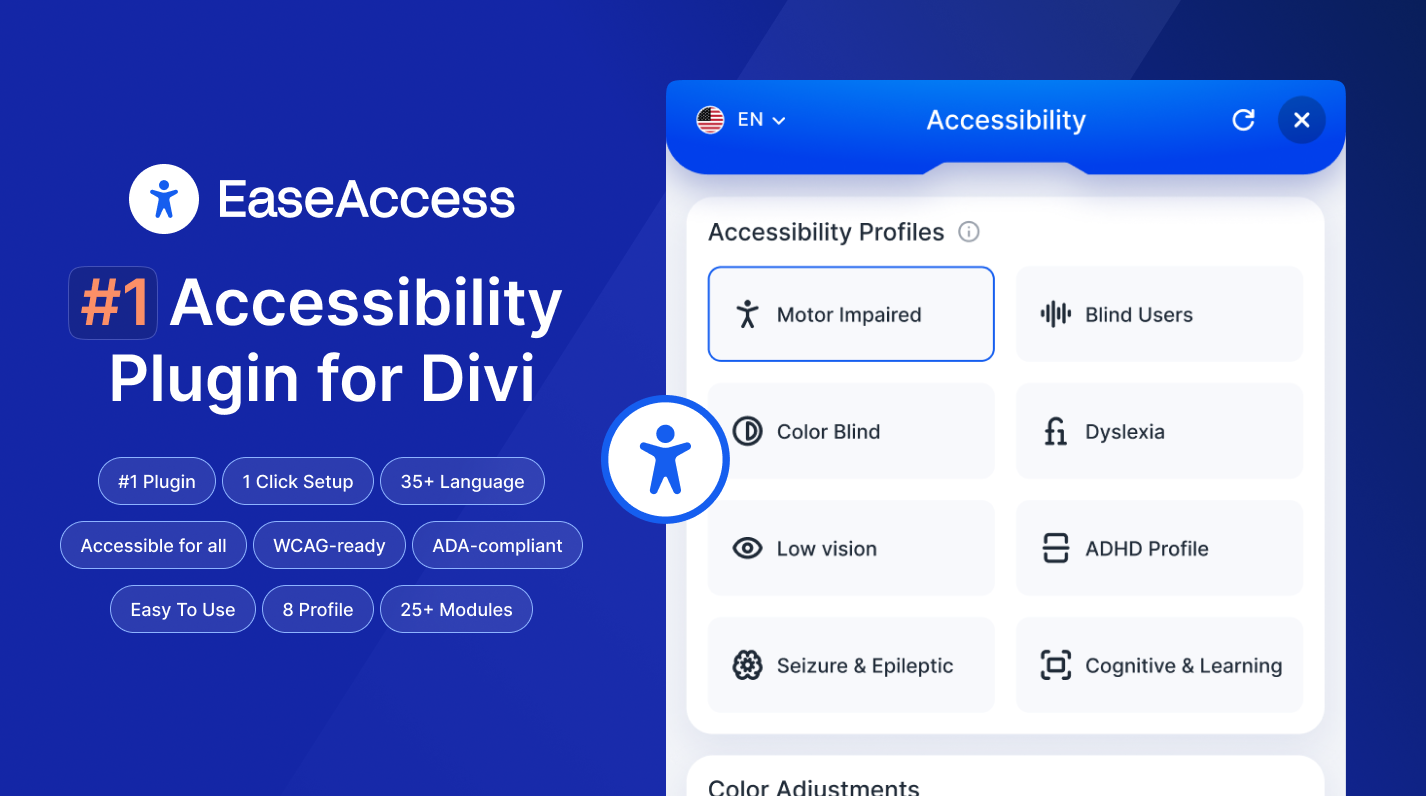
PluginUpdated
EaseAccess
EaseAccess is a WordPress accessibility plugin made for sites that use Divi Next.
Product facts
- Version
- 2.2.0
- Released
- 21 October 2026
- Type
- Plugin
- Licence
- GPL
- Included in
- Every plan, or $3.49 on its own
Overview
Many websites look good but are hard to use for people with visual impairments, reading difficulties or motor disabilities. EaseAccess addresses this with a set of visitor-facing controls. Readers can listen to page text, switch to fonts made for dyslexia, and change color contrast to match their vision. Keyboard navigation and screen reader compatibility are part of the plugin too.
Site administrators manage everything from a control panel inside Divi Next, so no technical background is needed. The plugin also includes tools aimed at meeting accessibility guidelines such as WCAG and ADA, and it works with multiple languages. The widget offers extras like accessibility profiles, a big cursor, a page structure navigator, dictionary lookup and page translation. It suits Divi Next sites that want to be usable by a wider range of visitors.
Features
- Text-to-speech playback: Converts website text into audio, so visitors with visual impairments or reading difficulties can listen to page content instead of reading it.
- Dyslexia-friendly fonts: Offers specialized font options that visitors can switch on to make text easier to read, especially for people with dyslexia.
- Adjustable color contrast: Lets visitors change color contrast settings to fit their visual needs, which improves clarity and reduces eye strain.
- Keyboard navigation support: Allows visitors to move through the whole site using only keyboard controls, which helps people with motor disabilities.
- Screen reader compatibility: Works with popular screen readers and provides content descriptions and navigation cues for visually impaired users.
- Accessibility compliance tools: Helps a site meet international accessibility guidelines, including standards such as WCAG and ADA.
- Simple control panel: An interface inside Divi Next lets administrators set up accessibility options without technical expertise.
- Multilingual support: Works with various languages, and the widget can translate pages and look up word definitions for visitors.
Best for
- Divi Next sites that need accessibility tools
- Site owners working toward WCAG and ADA guidelines
- Organizations serving visitors with varied abilities and languages
Changelog
Version 2.2.0
- New Automatic plugin updates. EaseAccess now ships with a built-in updater — customers see "Update available" in the Plugins list and can update in one click, no more manual downloads.
- New Deactivation feedback modal. If you deactivate EaseAccess we ask a quick question about why. Optional — you can always skip.
- New Dictionary fallback. When the primary dictionary provider (api.dictionaryapi.dev) returns 5xx or times out, the widget silently falls back to Wiktionary — end users no longer see "service unavailable" when the free API is down.
- New Translate fallback. When Google's unofficial translate endpoint blocks the request (429 / 403 / HTML challenge page), the widget silently falls back to MyMemory — pages continue to translate on shared-IP hosts.
- Fixed Accessibility: the widget launcher, feature toggles, panel controls (Reset / Close / Language), Accessibility Profiles, Big Cursor variants and Pointer Trail colors are now native <button> elements (or <span role="radio"> where a native button would fight the swatch styling) with proper aria-pressed / aria-expanded / aria-modal semantics, keyboard handlers and visible focus rings.
- Fixed Accessibility: the Page Structure navigator now uses a real tablist and each heading / landmark is a keyboard-operable button.
- Fixed Accessibility: Reset now guarantees cleanup of every feature style tag and CSS filter — no more stale Big Cursor or greyscale surviving a reset if state was out of sync.
- Fixed Color Saturation. Fixed: Color Saturation now writes its inline filter with !important, so themes and page-builder hover effects (Divi module animations, Elementor overlays) can no longer override it.
- Fixed Icon-font glyphs no longer render as literal text on Divi / Elementor pages when server-side auto-fix is active. ServerFix::serialise() now decodes DOMDocument's numeric-entity output back to raw UTF-8, so content: attr(data-icon) in CSS renders the original glyph instead of the escaped source.
- Fixed Widget compatibility with SiteGround Speed Optimizer, WP Rocket, LiteSpeed Cache and Autoptimize. When those plugins relocate the main bundle to their own asset cache, webpack now still fetches the widget's lazy chunks from the correct plugin URL — fixes the "widget button does nothing" 404 on optimized sites.
- Fixed AI settings admin page — Save / Validate / Reset / Set-active API-key requests now go through wp.apiFetch, so cached admin pages and hosts that strip cookies from /wp-json/* no longer produce "Cookie check failed" on live sites.
- Fixed ServerFix.php — $_SERVER['HTTP_X_WP_NONCE'] unslashed + sanitised (Plugin Check compliance).
- Improved The compliance score now reflects the real audit ratio (passing checks vs issues), the same way professional scanners (Lighthouse, WAVE, axe) score — no more inflated "setup bonus", so the number you see matches third-party audits.
- New Underlines links inside paragraphs and lists so they're distinguishable without colour (WCAG 1.4.1). Buttons, menus and image links are left alone.
- Improved Heading-order fix now also repairs skipped levels (e.g. an H2 followed by an H4) via aria-level, not just a missing H1.
- New Server-side structural fixes. The plugin now repairs the delivered HTML on the server — removing zoom-blocking viewport settings, de-duplicating banner/footer landmarks, and giving repeated navigation/sidebar regions unique labels — so third-party audits (Lighthouse, WAVE, axe) see the fixes, not just the live browser.
- New The accessibility scan now reports a real audit score. It counts passing rules and issues (like a professional audit) instead of a setup-only estimate, so the compliance score actually moves as you fix issues.
- New Scan results now show issue severity (critical / serious / moderate / minor), how many elements each issue affects, and how many checks passed.
- New A "Needs review" section surfaces checks the scanner can't decide automatically (e.g. contrast over a background image) so nothing is silently hidden.
- New Added WCAG 2.2 minimum target-size (2.5.8) detection and a check for multiple <h1> headings on a page.
- Fixed The Divi Marketplace build shipped without the Auto-Fix engine file, so enabling or toggling auto-fixes from the One-Click Setup page failed with a "Could not toggle engine" error. The Auto-Fix engine now ships with the Divi build and works as expected.
- Improved Smart Color Contrast is now OFF by default. Because it recolours text inline, it could override intentional designs (e.g. white text on a dark section). Existing sites that had it on are switched off once automatically; you can re-enable it any time from One-Click Setup.
- Fixed Smart Color Contrast no longer changes text over a background-image or gradient. Previously it couldn't read those backgrounds, assumed white, and could turn light text dark (invisible on dark sections). It now leaves elements it can't measure untouched.
- New Unique Landmark Labels — when a page has more than one navigation or sidebar region, each gets a distinct aria-label so screen-reader users can tell them apart (axe landmark-unique).
- New Skip-Link Target Fix — the skip-to-content link now points at the real main landmark and makes it focusable, so it actually moves keyboard focus.
- New Icon Button & Link Names — icon-only links and buttons with no visible text get an aria-label derived from their title, icon class, or child image alt (WCAG 4.1.2).
- New Image submit buttons (<input type="image">) now receive an alt value derived from their value/title/name (WCAG 1.1.1).
- Improved The Minimum Touch Target option now emits a gentle, spec-aligned 24×24px rule (WCAG 2.5.8) at zero CSS specificity so themes and page builders always win — previously the toggle did nothing.
- Improved Internal: hardened the release packaging so distribution archives are always generated correctly.
Earlier versions
- 2.1.0: 7 improved, 1 fixed
FAQ
Is EaseAccess free?
The code of EaseAccess is licensed under the GPL, so anyone may use, change and share it. Buy GPL is a paid service: a plan or a purchase of EaseAccess gives you the download and its updates. The developer's own support, licence key and online services are not included.
Which version of EaseAccess is this?
Version 2.2.0, released 21 October 2026. New versions appear here when the developer publishes them.
How do I update EaseAccess?
Install Buy GPL Updater on your site and paste your key from My Account. It installs new versions of EaseAccess for you.
You might also like
Plugin Plugin
 Plugin
 Plugin
 Plugin
 Plugin
 Plugin
 Plugin