
 Plugin
PluginUpdated
Divi Next Button
Divi Next Button is a WordPress plugin for sites built with the Divi theme.
Product facts
- Version
- 2.2
- Released
- 5 November 2025
- Type
- Plugin
- Licence
- GPL
- Included in
- Every plan, or $3.49 on its own
Overview
Visitors who finish a page or post often have no obvious place to go next. Divi Next Button gives them one. It places a Next button inside your Divi layout that links to the next post, the next page or a custom URL you choose, so moving through your content takes a single click. That suits blogs, portfolios and online stores built on Divi.
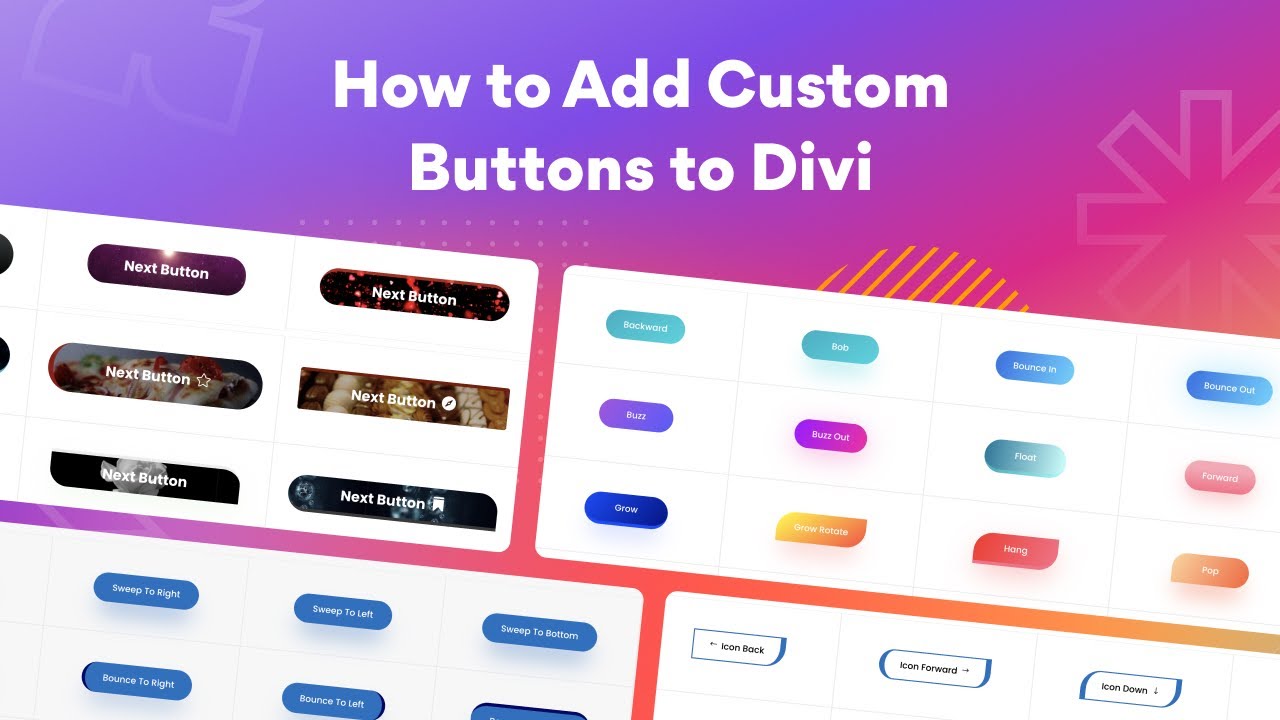
The plugin works within the Divi theme builder, so you adjust the button the same way you adjust other Divi elements. You can change colors, shapes, sizes, fonts and icons, and add hover and transition animations. Users who want more control can add custom CSS or use shortcode support. The result is a button that looks like part of your design.
Features
- Built for the Divi builder: The plugin works inside the Divi theme builder, so you can set up and adjust the Next button with the tools you already use to build your pages.
- Full control over button design: Change colors, shapes, sizes, icons and typography so the button matches your brand identity and the layout around it, with no coding needed.
- Hover and transition animations: Add animation effects to the button, including hover and transition effects, to make the navigation element feel interactive.
- Responsive on every screen: The button is made to look right and work properly across different device sizes, including phones and tablets.
- Automatic next links: The button can link to the next post, the next page or a custom URL, which keeps visitors moving through your site.
- Light on resources: The plugin is designed to load quickly, so adding a navigation button does not weigh down your pages.
- Custom CSS and shortcodes: Custom CSS fields and shortcode support give advanced users extra control over how and where the button appears.
- Ready for multilingual sites: The plugin is translation ready, so you can offer localized navigation text on websites that serve visitors in more than one language.
Best for
- Divi blogs that want easy post-to-post navigation
- Portfolio sites guiding visitors through project pages
- Divi store owners who want branded navigation buttons
FAQ
Is Divi Next Button free?
The code of Divi Next Button is licensed under the GPL, so anyone may use, change and share it. Buy GPL is a paid service: a plan or a purchase of Divi Next Button gives you the download and its updates. The developer's own support, licence key and online services are not included.
Which version of Divi Next Button is this?
Version 2.2, released 5 November 2025. New versions appear here when the developer publishes them.
How do I update Divi Next Button?
Install Buy GPL Updater on your site and paste your key from My Account. It installs new versions of Divi Next Button for you.
You might also like
Plugin Plugin
 Plugin
 Plugin
 Plugin
 Plugin
 Plugin
 Plugin