
 Plugin
PluginUpdated
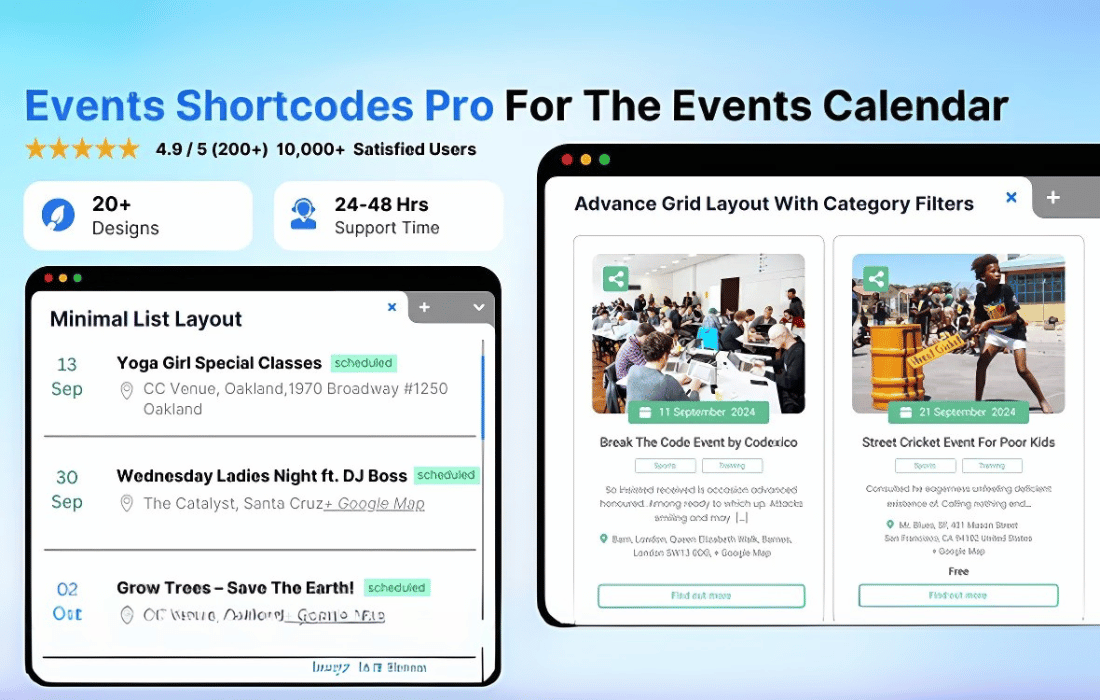
Events Shortcodes Pro
Events Shortcodes Pro is a WordPress plugin from Cool Plugins that works with The Events Calendar.
Product facts
- Version
- 5.0.0
- Released
- 2 November 2026
- Type
- Plugin
- Licence
- GPL
- Included in
- Every plan, or $3.49 on its own
Overview
Events pulled from a calendar plugin often look the same everywhere, and changing the layout usually means editing code. Events Shortcodes Pro addresses this with a set of shortcodes and templates you can adjust without coding. You pick a layout, choose which event details to show, and match the result to your site's branding.
The plugin offers lists, grids, countdowns, calendars and sliders, so one event source can appear in several forms. You decide how dates are formatted and whether categories, venues or custom fields are displayed. Because the output is a shortcode, you can place events in posts, pages, widgets or custom post types. It suits community listings, workshops, festivals and corporate event schedules.
Features
- Wide range of shortcodes: Use shortcodes to place events in blog posts, pages, widgets or custom post types, so your schedule can appear wherever it makes sense on your site.
- Multiple layout templates: Choose from responsive templates including lists, grids, calendars and sliders, then pick the one that fits the design of your website.
- Works with The Events Calendar: The plugin is built to integrate with The Events Calendar, so the event data you already manage there can feed your shortcode layouts.
- Filtering by event details: Filter events by date, category, venue or organizer, which lets visitors find the events that matter to them more quickly.
- Customizable event details: Adjust date and time formats, colors, fonts and layouts, and choose which fields show, including categories, venues and custom fields.
- Countdowns and recurring events: Display upcoming event countdowns and work with recurring events, giving visitors timely reminders about what is coming next.
- Responsive display: Event layouts adapt to different screen sizes, so your schedule reads clearly on desktops, tablets and smartphones.
Best for
- Sites already running The Events Calendar plugin
- Community groups and organizations publishing event schedules
- Agencies building custom event layouts without code
Changelog
Version 5.0.0 — 2 November 2026
- New Introduced the Events Loop Builder, a block-based builder for creating custom event layouts in the WordPress block editor.
- New Added event blocks: Card Template, Event Image, Event Date, Event Time, Event Title, Event Excerpt, Event Meta, Event Info Row, Event Price/Button, Event Read More, Event Share, Flex Container, and Wrapper.
- New Added ready-made Grid and List layouts for the Events Loop Builder.
- New Added event query controls with filters for categories, tags, venues, and organizers.
- New Added AJAX pagination support for event loops.
- New Added responsive styling options, hover effects, and per-block visibility controls.
- New Added a one-click migration tool to convert legacy Event blocks into the new Loop Builder blocks.
- Improved Optimized asset loading to load Loop Builder CSS and scripts only on pages containing Loop Builder blocks.
- Improved Added compatibility checks to load the Events Loop Builder only with PHP 7.4+, WordPress 6.7+, and an active The Events Calendar plugin.
Earlier versions
- 4.5.4 (16 September 2026): 1 improved, 1 fixed
- 4.5.1 (31 August 2026): 1 improved
- 4.5.0 (20 August 2026): 2 new, 1 improved, 1 removed
FAQ
Is Events Shortcodes Pro free?
The code of Events Shortcodes Pro is licensed under the GPL, so anyone may use, change and share it. Buy GPL is a paid service: a plan or a purchase of Events Shortcodes Pro gives you the download and its updates. The developer's own support, licence key and online services are not included.
Which version of Events Shortcodes Pro is this?
Version 5.0.0, released 2 November 2026. New versions appear here when the developer publishes them.
How do I update Events Shortcodes Pro?
Install Buy GPL Updater on your site and paste your key from My Account. It installs new versions of Events Shortcodes Pro for you.
More from Cool Plugins
Plugin Plugin
 Plugin
 Plugin